



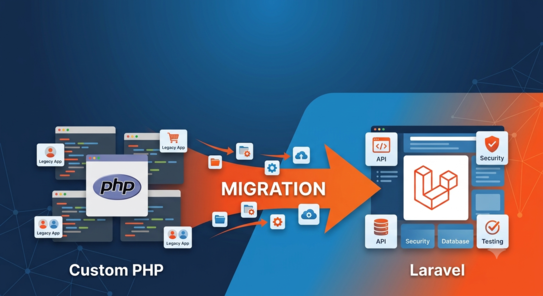
Custom PHP to Laravel Migration
Modern web applications need to be fast, secure, and scalable. However, many businesses still run on legacy custom PHP systems that were built years ago without modern architecture in mind. Over time, these systems become difficult to maintain, expensive to scale, and risky to secure.
That’s where Laravel migration comes in.
Having migrated 20+ real-world applications from custom PHP to Laravel, we have seen the exact challenges, risks, and transformations businesses experience. In this article, we break down everything you need to know before making the move.
Why Businesses Migrate from Custom PHP to Laravel
Businesses rarely migrate just for technology’s sake. The real reasons are operational pain points:
Legacy PHP applications often suffer from poorly structured or inconsistent architecture, making even small updates risky. Over time, codebases become tangled and difficult to maintain.
Security is another major concern. Older PHP applications frequently lack modern security practices, leaving them vulnerable to attacks and data breaches.
Scalability also becomes a limitation. As traffic and features grow, legacy systems struggle to keep up without significant performance issues.
Finally, hiring developers for outdated custom PHP systems becomes increasingly difficult and expensive.
Laravel solves these problems by providing a structured, secure, and scalable framework.
When You Should NOT Migrate
Not every system should be migrated. In fact, unnecessary rewrites can waste time and budget.
You should avoid migration if:
- The application is simple and already stable
- The cost of rewriting exceeds the business value
- Only minor updates or fixes are needed
- The system is near end-of-life and will be replaced soon anyway
A responsible migration strategy is about business value—not just modernizing technology.
Types of PHP Applications We Typically Migrate
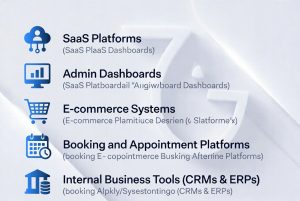
We commonly work with a wide range of legacy systems, including:
- SaaS platforms
- Admin dashboards
- E-commerce systems
- Booking and appointment platforms
- Internal business tools such as CRMs and ERPs
Each system comes with unique challenges, especially when business logic is deeply embedded in legacy code.
Migration Approaches
There is no single way to migrate a PHP application to Laravel. The approach depends on complexity, risk, and business continuity needs.
Common strategies include:
- Full Rewrite in Laravel: Complete rebuild for long-term scalability
- Incremental Migration: Gradually replacing modules over time
- API-First Approach: Separating backend logic into APIs
- Hybrid System: Running legacy PHP and Laravel together during transition
Choosing the right approach is critical to reducing downtime and risk.
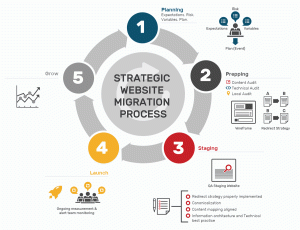
Our Step-by-Step Migration Process
A successful migration requires structure and discipline. Our process typically includes:
- Codebase audit and architecture review
- Database mapping and analysis
- Feature-by-feature breakdown
- Laravel project structure setup
- Migration execution in phases
- Testing and QA cycles
This phased approach ensures minimal disruption to business operations.
Biggest Technical Challenges We Faced
Legacy systems often hide unexpected complexity. Some of the most common challenges include:
- Poorly structured or “spaghetti” PHP logic
- Inconsistent database schemas
- Rewriting authentication and session systems
- Breaking third-party integrations
- Hidden business rules embedded deep in legacy code
These issues are rarely visible at first glance but significantly impact migration timelines.
How We Handle Data Migration Safely
Data is the most critical asset in any migration.
To ensure safety, we follow strict protocols:
- Full database backups before every major step
- Staging environments for testing
- Version-controlled database migrations
- Rollback strategies in case of failure
- Post-migration data validation
This ensures zero data loss and business continuity.
Enhance your brand potential
If you’re ready to become the answer in AI-driven search, talk to us.

Performance Improvements After Migration
Once migration is complete, the performance difference is often significant.
Businesses typically experience:
- Faster API response times
- Cleaner and more efficient caching strategies
- Reduced server load and hosting costs
- Optimized database queries
- Improved scalability for future growth
Laravel’s architecture makes systems more predictable and easier to optimize.
Do's
Perform a full codebase audit before migration.
Use staging environments for testing.
Migrate in phases instead of all at once.
Maintain proper database backups.
Validate all data after migration.
Don'ts
Avoid rushing a full rewrite without planning.
Don’t ignore legacy business logic hidden in code.
Avoid skipping QA/testing cycles.
Don’t migrate without rollback strategy.
Don’t underestimate integration dependencies.
What You Should Prepare Before Migration
Preparation significantly improves migration speed and success rate.
Clients should provide:
- Full access to the codebase
- Database credentials and structure details
- Existing feature documentation (if available)
- Hosting and server configuration details
- A list of critical business workflows
The more clarity available upfront, the smoother the migration process.
